Showing posts with label technology. Show all posts

November 21, 2014

Big iPad Summit Take-Aways

Last week I took a team of teachers from my school to Boston for EdTechTeacher's iPad Summit.

We had a super-awesome-fantastic time. It was my first time in Boston, so I was eager to check out all of the historical sites. Each day after the conference we explored the Boston Freedom Trail, with sites important to the American Revolution. I can't wait to share the pictures with my students when we study this time period later in the year.
Eager for the first session to start!
So, I've been processing my learning for a full week. And I'm ready to share my reflections from the conference:

Big Idea #1 - It's About the Process, Not the Product
Creating something on the iPad is a process that really strengthens the most important skills our students need. Those skills are sometimes called the 4 Cs: Collaboration, Communication, Creativity, and Critical Thinking. Our focus should be more on how they develop these skills, rather than how perfect and pretty the end-product is.

Big Idea #2 - It's Not About the Apps
This conference totally shifted my thinking on the topic of apps. Instead of looking at them as, "I found a great app for fractions!" or "What are the best apps for fluency?" we should think about how the iPad can be a tool to extend, enrich, and strengthen learning.

Yes, using apps for targeted curriculum needs is still a valid approach, and one that I will continue to use. For instance, I love the Quizlet app for practicing vocabulary. My students visit a vocabulary station with a partner and work together with the quizlet app to practice. 

However, the larger use for iPads should be as a seamless learning tool. We shouldn't be using the technology just because it's there. Focusing on apps leads us to make instructional decisions such as, "This app about polar bears is really cool. Let's do something about polar bears." Our decisions should be learning-driven, not app-driven.

Big Idea #3 - Sometimes Analog is Better, iPads Are for Specific Needs
Sometimes you should just stick with paper and pencil. Keynote speaker, Greg Kulowiec, gave a great example of his sketchnotes.

A device is not always the best tool for the job. Greg recommended 4 primary uses for the iPad and I am using these as the foundation for my decisions about when/how to use them:
1. Students archiving their work/thinking
2. Students annotating work/images/etc
3. Students creating
4. Students sharing their work

And so -
I am super thrilled to report something new I am trying as a result of all this major learning. Each week I will be providing my students with 1 hour to create a project that reflects on their learning. The big, amazing thing about this project is that it tackles all three Big Ideas.

I am not teaching my students how to use any of the apps.

We are depending on an inquiry process to struggle with the tools, make attempts, make mistakes, make discoveries, and create.
For now, I have limited my students to 4 apps that are both free and easy to export. After all, one key point is that the students need to share their creations!

Yesterday we had our first go at this project. Happily, every single student completed and exported their work within the hour. Most of it is pretty poor. The sound quality is usually terrible, the creativity is slim, and the tools were not well-leveraged.
Eli found a quiet room for recording

HOWEVER -
I fully expected this. That's part of the inquiry process. The goal is not to be great now, but to continue to discover ways to create and reflect. I fully expect that we will have several more weeks of sub-par products. But we will steadily improve. I keep reminding myself that it's about the process, not the product. So, when sharing their work, we used critiquing to make plans for improvement. 

The hardest part of the process, for me, was not helping when they had trouble. I told the students that they would struggle, but that they could figure out these apps and tools for themselves. Still, it was hard not to swoop in whenever they ran into a problem!

Here are two student projects from the week - 


Zach mispronounces the word tertiary and it's kind of hilarious :)

Mason's ChatterKid about Producers, Consumers, and Decomposers:
Mason's sound quality is great!


In reflection, the 50 minutes spent creating these projects was well worth it. I saw so much critical thinking, grit, and problem solving. Several students started reflections on different topics or using different apps, and then switched. This kind of flexibility is important. Others recorded over and over again, trying to make it terrific. Perseverance and dedication really matter. I can't wait to see how this process grows and evolves over the year!

~ Amanda


Thanks to a generous grant from the Burroughs Wellcome Fund to pay for our trip to the Boston iPad Summit!


August 5, 2014

Technology Smackdown - 9 Ways to Use Tech

Last week I conducted a fun 2-day workshop for 34 educators called Conquering Grade 5 Mathematics. After lunch one day we had a Technology Smackdown. Each of 9 brave participants had 3 minutes to share a website, app, device, or strategy with the group.

It's been a few days since then, but I will try to remember the wonderful resources shared:

1. Math Doodles - A math game app that asks students to solve problems that are both challenging and fun. These logic puzzles can be easily altered by Easy or Hard, Solve or Race, or even the style of number displayed (dice, words, digits, fractions, etc..)

2. Flocabulary - A video-based vocabulary website. Each set of vocabulary words, math strategies, science concepts, or other content is set to an animated pseudo-rap song.

3. Moby Max - An adaptive practice website for language arts and math.

4. Discovery Ed - Not just streaming videos anymore. Some cool multimedia to supplement lessons, plus now you can set up student accounts.

5. Futaba - A terrific game for up to 4 players. Especially powerful for vocabulary and math fact fluency.

6. Valerie Faulkner Math Club - The terrific website of a local math-ed professor. Val Faulkner's site offers some great lesson ideas, activities, and support videos. We especially like the Bean Party for division with fractions.

7. ShowMe - A simple whiteboard app with a much more user-friendly web component than Educreations.

8. Plickers - So so so cool! Free student response system and all you need is 1 teacher iPad. Watch the video and you will be amazed. Prepare to download!


9. Oh geez - I'm missing one! If you were there and remember which tool I forgot, please let me know!


December 20, 2013

Picture Learning: Mystery Skype

Today was our second Mystery Skype of the year. A Mystery Skype is where two classes contact one another via Skype, then go back and forth asking yes-or-no geography related questions to ultimately guess one another's location. For instance, "Are you in North America? Does your state border an ocean?" I've blogged about Engaging Every Student with Mystery Skype and how we organize the activity.

In today's Skype, we worked with Mrs. Scissons's class in Saskatchewan, Canada. My first international Skype!! We were impressed by how mature her class was, even though we had a hard time keeping track of all the various tasks involved in Mystery Skyping. Don't worry - we'll get better! Reflecting and improving is part of the learning here.

One student was assigned to be the Reporter during our Mystery Skype. She took photographs and made notes about areas of strength and things to improve. Her photos (throughout this post) illustrate the awesome variety of learning happening.

I just love the engagement level of this activity, and of course the geography, technology, and cultural learning too! It was especially cool to talk with them briefly about a major difference there (climate) and for one of my students to feel validated about his favorite sport (hockey).

Thanks so much to Mrs. Scissons (@MrsScissons) and her class!!

~ Amanda

March 6, 2013

Exploring Volume With Minecraft

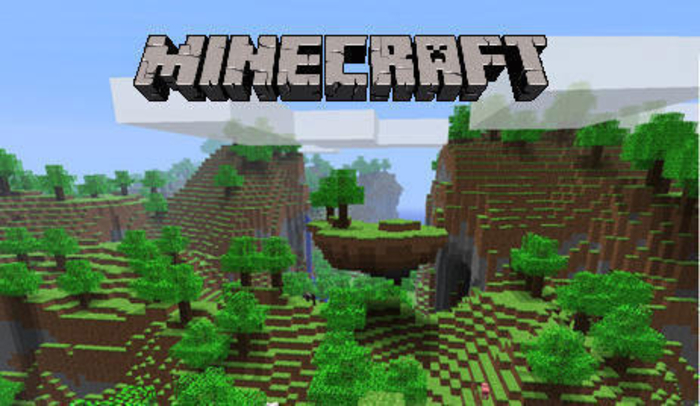
Recently my students got me hooked on Minecraft. It's an open world game where the user is invited to find resources and build stuff with them. Oh - and defend themselves from monsters. That's basically it. There are no levels, or anything like that. Yet, it's strangely wonderful. I have played it for more hours than I'd like to admit.
In the course of play, I couldn't help but think about the awesome learning potential of this game. One idea that struck me especially, is that Minecraft is perfect for exploring the volume of rectangular prisms. Since, the entire world of Minecraft is basically made out of 1x1x1 cubes like these, they are perfect for building rectangular prisms!


Here's What I Did
1. I built a world in Minecraft Pocket Edition on my iPad. I used creative mode so that we could fill prisms without worrying about our resources. The world contained FOUR different empty rectangular prisms. I lined each with a fence so that I wouldn't fall in while teaching. Here's one:


2. I created a chart for students to record their findings. It looked like this:

3. I situated this lesson as a transition between working with actual cubes, and thinking abstractly. I designed the activity to more clearly demonstrate the relationship between length, height, and width. We had already done a few days of working with physical blocks, so some students had already started to make these connections.

4. During the lesson we focused on the concept of layers. First, I used blocks to fill in the base. Be sure to choose blocks that have clear boundaries. Some, like soil and stone, blend when placed side-by-side. Here's the first layer of the first prism. I used iron blocks.

5. I projected my iPad for this lesson so that we counted aloud each block as it was placed. We made the connection of l x w to determine the area of the base, the first layer. You can also see in the image above that the extra block shows that we only need one more layer to fill the prism. Many students, then, simply added layer 1 + layer 1 to get the total number of blocks. 

6. As we moved on to the other three prisms in the world, I stripped away the support of counting the blocks. By the last prism, we simply placed blocks along the edges of the base and then determined the height. This process made the expression l x w x h quite obvious to my students.

And of course, they couldn't stop talking about how AWESOME it was to use Minecraft in math!

~ Amanda


UPDATE 6/30/2014 - I've had to turn off comments on this post due to the enormous number of spam comments (nearly 100 per day). It's a popular post for regular folks like us, so I guess that makes it attractive to spammers. Needless to say, if you would like to leave a comment, they are enabled on every other post on the blog so go to it or you can use the Email Me from the button at the top of the page  =)


April 14, 2012

Engaged Writing with Storybird


When I first discovered Storybird, I wasn't sure how well it would work. The idea is that students write a book based on the artwork of one of the sites many artists. First they choose the artist, then they build their story around the art. Want to see an example? Here's a Storybird I wrote recently to demonstrate theme, simile, and personification:

This week I was looking for a fun, easy way for the students to practice the concepts of theme, simile, and personification. So I created the book above, showed the students how to navigate the Storybird website, and gave them free reign. The requirements were:
* Write a complete story
* Use a theme
* Include at least one simile
* Include at least on example of personification
* Write positive, thoughtful comments on at least 3 other Storybirds from our class

Once they figured out how to see all the artists, they found the creation of their books to be really intuitive. Kudos to Storybird for their great user interface!

Here's an example of a finished story.


The most wonderful and surprising thing happened after the students were finished with their books.
"Can we write more?"
"Yes!"
"Can we write these at home?"
"Absolutely!"

That night 1/4 of my students wrote their own books at home! So it's official - Storybird is good stuff!! When discussing the premise of the site, to start with the art, all of my students agreed that it made their writing both more fun and more challenging (in a good way). One student pointed out that she struggles with drawing, so she felt great about having a professional artist as her illustrator.
To read other Storybird's written by my students for this assignment check out our class website.
The rubric I developed for this project is here.

~ Amanda


February 15, 2012

Student-Made Video + Math Free-Time = Fun + Learning

Students LOVE making movies. So, I included a video-making prompt in this quarter's Math Free-Time goal choices. In spirit of Math Free-Time, they had free range to use any format and topic they wanted. From the management perspective, each group had no more than three 45-minute sessions to play, rehearse, and record. They used flipcams.

Here are the first two final videos. I find their divergent styles to be really interesting and indicative of the value of creative freedom in the classroom.

This one is based on the Maths Mansion videos. My students love these!


This one took the prompt quite literally when it said, "Make a video teaching someone about a math topic."

Student-created videos are chock full of fun and learning. A great combination!

~ Amanda

Update 2/19 - I just can't resist sharing this! Another student finished a video and it's great! Check out Maniac Math: How To Do Partial Division


Pin It


January 7, 2012

Engaging Every Student with Mystery Skype

I first learned about Mystery Skype from Shawn Avery (@mr_avery) during the weekly Twitter #5thchat - a time for teachers to share ideas, thoughts, and questions about topics related to teaching. Everyone was excited about the idea, including me! His introduction to Mystery Skype is here.

What is it? Two classes anywhere in the world connect via Skype. They take turns asking yes-no questions to deduce the location of the other class. Before starting we brainstormed a list of good questions. The list is below:


Why do it? Not only is Mystery Skype highly engaging, but it incorporates both curriculum AND those increasingly important 21st Century Skills:
  • Geography
  • Inferring
  • Drawing Conclusions
  • Working Collaboratively
  • Using Maps
  • Using Search Engines
  • Generating Questions
  • Etc etc etc
I found the other class by asking, "Who wants to Mystery Skype?" on Twitter.

Leading up to our first Mystery Skype I spent a lot of time thinking about logistics. My driving question was:

How will I authentically engage every one of my students?

I started by reading several great blog posts by other Mystery Skype teachers. Pernille Ripp's "So You Want To Do a Mystery Skype" was especially helpful (@pernilleripp). I decided to create several jobs so that everyone had a task. Here are the jobs I used:

Inquirers - 2 people who sit in front of the camera. They ask and answer the questions.
Question Keepers - 2 people who keep track of the questions and their answers. They type this in a document as we go. The document is displayed for everyone to reference.
Think Tanks -2-3 People who help the inquirers figure out what questions to ask next and help them if they need help answering a question from the other class.
Messengers - 2-3 People who carry questions, answers, and ideas to the other groups
Cartographers - 2-3 People who use printed maps and atlases to make guesses, eliminate places, and answer questions as needed.
Online mappers - 2-3 people who use mapping and/or satellite sites (like Google Earth) to make guesses, eliminate places, and answer questions as needed
Clue Keepers - 2 people who use a dry erase board to keep track of available places for everyone based on input from other groups (it can’t be, it might be)
Photographer - 1 person to take photos
Commentary - 1-2 people keep a backchannel on todaysmeet.com


Our Mystery Skype took about 45 minutes. In that time, I was increasingly impressed at the learning, reasoning, and collaboration. It was loud and a bit frantic, but every single student was engaged in learning.

Not sure if you want to try it with your class? I'd be happy to Mystery Skype with your class or answer any questions about procedure. Have fun!


~ Amanda


Pin It

December 1, 2011

Time Lapse Video - A Day in Our Classroom

I saw Mr. Avery do this on his blog and I just knew I had to do it! I used two free software programs (TimerShot and MakeAVI) and a webcam on top of my classroom desktop. Here's a somewhat typical day (what days are ever typical?) in my classroom boiled down to about 2 minutes.


Pin It

November 5, 2011

10 Reasons Why Video Games May Not Be Evil

I'll be the first to admit it - When I have a student who plays video games all afternoon and evening, I have a standard litany of thoughts. Maybe you can relate. They go something like this:
* Use your imagination!
* Build something!
* Go outside!
* Video games are rotting your mind!
* Video games are making you anti-social!

Over the 6 months I've found myself playing a lot of video games on my Wii. I discovered that I enjoy the Lego games (Lego Harry Potter, Lego Star Wars, etc...) and the Mario games, especially Paper Mario and Mario Galaxy.

Last night I was working on an especially challenging level of Mario Galaxy. I played the same level over and over, tweaking my approach each time based on what I was learning from experience. In the process, I started thinking that maybe video games aren't evil after all.


10 Reasons Why Video Games Aren't Evil
1. Problem Solving  How do I get my character over there? What do I need to do to get that door to open? What can I do to keep my character from dying whenever I cross that platform?

2. Perseverance & Persistence I'm sure I attempted the Cosmic Mario level 15 times over the last 3 days. Occasionally I got frustrated, but I kept at it - learning something from each attempt. Perseverance through challenging tasks is critical for learning.

3. Spatial Skills The screenshot below comes from Lego Harry Potter Years 1-4. In this section, the player must manipulate the Lego pieces to create a set of stairs. How do they fit together?
4. Focus This one sometimes causes consternation in my house! In order to accomplish a task in a game, I must be completely focused. One level in Mario Galaxy, for instance, requires the player to simultaneously navigate a field of ships firing cannons, spiders dangling from space, and balls of flames while standing on a small moving platform.

5. The Joy of Success When I finally beat the level that took me 15 attempts - I was ecstatic! We want our students to know that persistent hard work on a challenging task brings about the wonderful intrinsic reward of success!

6. Cooperation Not every game allows for this, but when they do cooperative play is tremendously fun! My spouse and I enjoy the Lego games in particular because they allow us to play together. We work together to operate levers and manipulate objects. Problem solving together is truly powerful!

7. Creative Thinking When the objects you need are hidden in strange places and the path to your destination is unclear, players must think creatively. What happens if I jump on that? What if I go down that path?

8. Increased Self Confidence It's true - when I finally beat a challenging level or even complete an entire game - I feel so proud of myself. That's right, I did it!

9. Authentic Reading We don't often think of reading and video games together, but it's one of the first things I noticed when I started playing this year. Players must read A LOT of text on the screen to understand what they need to do in a game. I've also noticed that the big gamers in my class do a great job with vocabulary instruction, often relating new words to their gaming experience. The screenshot below is from Paper Mario.
I still have concerns about uber violent games. In Lego Star Wars I greatly enjoyed using light sabers to destroy Imperial enemies. This game didn't make me violent... but I worry about kids playing more realistic violent games. I'm sure that this is just grown-up nonsense, but oh well.

I also worry about kids who do nothing but gaming. I strongly believe that it's important for them to do screenless activities as well, especially activities that are outside and/or imaginative.

Yet, I'm realizing that video games might not be evil after all.

I left off #10 on purpose - what would you list as #10? Please comment below.


~ Amanda

Pin It

October 1, 2011

Is Student Blogging REALLY Worth Our Time?

I put off student blogging for years because I just didn't see how typing random, useless stuff (journal-style) would be worth my instructional time.
 
But my twitter PLN encouraged me to rethink how blogs could be used in the classroom. So I decided to think of them more like DIGITAL PORTFOLIOS than journals. That shift in thinking was apparently all I needed to buy in to the idea. I set up a class account at KidBlog.org and started planning. You can read about my plan in a blog post "Digital Portfolios with KidBlog.org."

This week the students wrote their first reading posts using the CROP-QV format which I learned about from Chad Teres's fifth grade student blogs.

Would blogging be engaging for students?
Me: "We're going to read this story and write about our thinking. This will be your first blog post."
Student responses: YES! SWEET! AWESOME!
Imagine the same directions without the blog bit at the end.... did you imagine it? How did students respond?

My students read a 6 page story from Cricket magazine and hand-wrote 2 pages of thinking in preparation for their blogs. They, then, sat in the computer lab for over an hour reading their peer's About Me posts, writing comments, and typing their 2 pages of reading thinking. (Our class blogs)

No one complained. Everyone was excited.

#Seriously

At the end of the day they all wanted to know if they could blog at home too. So we brainstormed what topics they might write about.

It seems that I was wrong - blogging is worth our time. However, I'm making a serious effort to do curricular blogging, rather than random journals.

It still amazes me how something so simple can make such a huge difference in student engagement. If we had been just typing these 2 pages of thinking - there would have been lots of grumbling and certainly no one eager to "do more at home." Move that typing to a blog - MAGIC - somehow, it's a whole new thing.
Amazing.

Pin It

September 21, 2011

Digital Portfolios With KidBlog.Org

This year I'm trying something new - digital portfolios. I've chosen www.kidblog.org as our platform because it doesn't require student emails. They also allowed my school district to set up a secure account so that we can follow our district safety guidelines.
My goal for the year is for students to post their thinking in each subject area (reading, math, science, social studies) at least once per quarter. This will allow us to have a record of learning, thinking, and writing as it changes over the year. Students will also read one another's work and post comments.

My Mini-Mizer Avatar
Using a blog for these portfolios kills two birds with one stone because it will allow students to develop social media skills in addition to storing exemplars of student work. These social media skills include:
* Internet safety - screen name and avatar creation
* Formatting posts
* Inserting images, links, and other media
* Posting comments
* Comments as discussion

Tomorrow will be our first foray into the blogosphere. I hope to accomplish the following:
Create safe screen names - Students will use two websites to generate ideas. Username Generator uses categories to create random word combinations. Spinxo uses student interests to suggest screen names. Students may use a username from one of these sites, or create one of their own. The important thing is to choose a name that protects student identity.
Publish an About Me post - This post must not reveal any identifying information such as name, age, or location. Students will use my About Me post as a model.
Create and save avatar - Use Mini-Mizer or Build Yourself Wild to create an avatar. Avatars are another essential tool for protecting identity. Unfortunately, neither of these sites provides an easy way for students to save their avatars as images. We will use the Print Screen function to do this.
My Wild Self Avatar
 Insert avatar into the About Me post - We probably won't have time for this in the first blogging lesson, but the avatars will need to be posted with About Me as soon as possible.

I'm looking forward to using KidBlog to keep digital portfolios! You can see our class blog site by clicking here.

Pin It

September 1, 2011

Start Home-School Communication with a WOW

Earlier this week (on the 8th day of school), I invited the families of my students to my classroom for an evening Family Orientation. During the orientation we discuss curriculum, homework procedures and expectations, behavior policy, field trips, and family involvement. I love this event because it allows me to get to know families early. It also helps them have a better understanding about what we're doing, why we're doing it, and what is expected of the students. This simple evening gets our year started on a positive, collaborative note.

This year, I created magnetic business cards to pass out at Family Orientation:
Initially I hesitated to include my cell phone number on the magnet. What if I get calls all day and night? What if a student texts me? But ultimately I decided that it's better to trust my students and their families to be responsible phone users. If there are problems, I will handle them, but the pros of providing my cell phone number seem to really outweigh the potential cons.

You can see I also included a QR code on my card. I used www.snap.vu  to create the code because I love all the functions they offer for free.

When I passed out the magnets ("Now I'll only be a refrigerator away!") the positive response from parents was immediate and obviously positive. Everyone was clearly excited about the prospect of being able to easily and immediately communicate with the person who sees their child at least as much as they do.

I used Vistaprint to design and order my magnets. They cost about $1.00 apiece - a bit pricey, but they're totally worth it -

#inmyhumbleopinion

Pin It